Know Your Customer (KYC) verification requests are one of the highest-volume, most repetitive ticket categories an iGaming support queue handles, and almost none of that volume requires human judgment. A player asking why a verification is still pending, what is wrong with a rejected document, or how to resubmit correctly is asking a question the operator's own KYC system already answered somewhere in its logs; the ticket exists only because that answer never reached the player without an agent looking it up by hand. This is a structural gap, not an agent skill problem: verification status lives inside the KYC vendor's system, while the support ticket lives in a separate tool, so every status question forces a manual cross-system lookup no matter how experienced the agent is. Handling KYC support requests automation casino operators can deploy in hours, not weeks, starts with closing that gap: retrieving the verification status, the rejection reason, the document history, and the count of prior attempts the moment the player asks. This guide covers four steps: surfacing verification status instantly, classifying rejection reasons into specific resubmission guidance, escalating genuinely ambiguous or high-risk cases to a compliance specialist, and closing the loop once verification clears.
What You Need Before Starting
Automating KYC status and rejection-reason tickets requires real-time, read-only access to the operator's KYC verification system, not a support agent's manual lookup across two separate tools. That means live document status (pending, under review, rejected, or approved), the specific rejection code the verification system generated, document metadata (type submitted, submission timestamp, how many attempts the player has made, and the jurisdiction the check ran against), and the player's account and prior-ticket history in the same view. It also requires a defined escalation path into a compliance specialist for the cases automation should never resolve on its own: a rejection reason the system flags as inconclusive, a document that raises a fraud signal, a player who has failed verification enough times that the pattern itself is the risk, or a mismatch between a new submission and a document already on file. No independent body publishes a benchmarked KYC ticket volume share or document-rejection rate for iGaming operators specifically; the volume and repetitiveness described here are the operational pattern this guide addresses, not a cited statistic. Tugi Tark’s agent workplace retrieves this from the operator’s own KYC system through JWT and real-time API sync, in one integration rather than several. JWT gives an initial connection in hours. KYC verification decides who a player is; the chargeback and fraud complaint workflow decides whether a disputed transaction or fraud claim is legitimate, a separate judgment call downstream of a completed KYC check.
Step 1: Resolve the KYC Status Question Behind Most Support Requests
Step 1 answers the question that generates the largest share of KYC tickets before a player finishes typing it: where does my verification stand right now. An AI automation layer with real-time access to the operator's KYC system retrieves the current status, pending, under review, rejected, or approved, along with the document type submitted and the timestamp of the last update, and states it directly rather than asking the player to wait for an agent to check. When the integration detects a status change on a pending verification, that same real-time access lets the AI agent confirm the update the moment the player asks again, instead of repeating a stale answer from an earlier ticket. This single step removes the largest category of pure status-check volume from the queue, the tickets that carry no judgment call at all, before any classification or escalation logic is needed.
Step 2: Classify the Rejection Reason and Give a Specific Fix
Step 2 turns a rejected document into a specific, actionable instruction instead of a generic "please resubmit" message. The operator's KYC verification system already generates a rejection code when it declines a document, a blurry or illegible image, an expired identification, a name or date-of-birth mismatch against the account, or an unsupported document type for the player's jurisdiction, and the automation layer's job is to retrieve that code and translate it into the exact fix the player needs: retake the photo in better lighting, submit a document that has not expired, use the legal name matching the account, or upload the document type the jurisdiction actually accepts. The AI agent does not decide whether a document passes or fails; that determination is made by the operator's KYC verification system or, for an ambiguous case, by the compliance specialist in Step 3. What this step removes is the round trip where a player resubmits the same wrong document twice because nobody told them specifically what was wrong the first time.
Step 3: Route Ambiguous or High-Risk Cases to a Compliance Specialist
Step 3 sends the cases automation should never resolve alone directly to a compliance specialist, with every document submission, rejection code, prior ticket, and compliance note from an earlier review already attached. A case qualifies for this path when the KYC system's own rejection reason is inconclusive rather than a clear-cut fix, when a document trips a fraud signal the system flags but does not resolve, when a player has failed verification enough times that the repeated failure is itself worth a second look, or when a new submission conflicts with a document the account already has on file. Smart ticket routing, weighted on player segment, ticket category, channel, and wait time, places these cases in the compliance department automatically rather than leaving them in a general queue where a first-response agent has neither the access nor the standing to resolve them. The specialist opens a case that already contains the full document history and prior attempts, not a ticket transcript reconstructed by hand across the KYC system and the ticketing tool separately.
Step 4: Close the Loop the Moment Verification Clears
Step 4 confirms the outcome to the player automatically the moment the KYC system approves the verification, rather than leaving that news sitting in a queue until an agent gets to it. When the integration detects the status change to approved, the AI agent notifies the player directly. A KYC check and a payment dispute address different problems, identity versus a disputed transaction, but a delayed withdrawal often turns the first into a ticket that looks like the second: once verification clears, the payment ticket the delay created can close in the same motion. A verification that clears without an automatic confirmation still generates a new ticket, a player asking whether they can now withdraw, so this step is what actually removes the ticket volume Step 1 through Step 3 built the workflow to reduce, rather than moving it downstream.
Common Mistakes iGaming Operators Make (and How to Avoid Them)
The costliest mistake is running the full KYC check only at the point of withdrawal instead of earlier in the player lifecycle, a pattern regulators treat as a compliance failure, not just a support bottleneck.
Mistake: Verifying identity only at withdrawal.
Why it happens: some operators treat KYC as a withdrawal gate rather than an onboarding step, so the check, and the ticket volume it generates, lands entirely at the moment a player wants their money.
What it costs: UK Gambling Commission enforcement has criticized operators specifically for identity checks applied only at the withdrawal stage rather than proportionately and promptly earlier in the relationship, on top of every KYC support ticket that now collides with a player's active cash-out request.
How to avoid it: verify identity as part of onboarding or at defined lifecycle triggers, not exclusively when a player tries to withdraw, so a KYC ticket and a withdrawal-timing ticket are not the same event.
Mistake: Generic rejection messaging instead of reason-specific guidance.
Why it happens: a first-response agent or template response repeats "your verification could not be completed" without pulling the actual rejection code from the KYC system.
What it costs: each avoidable resubmission round trip is a full additional ticket at the €1.02 to €2.41 human-agent cost, on top of the original one, for a fix reason-specific guidance would have resolved on the first attempt.
How to avoid it: retrieve the KYC system's own rejection code and translate it into the exact corrective action before the response ever reaches the player.
Mistake: Leaving high-risk or inconclusive cases in the general support queue.
Why it happens: a general queue has no defined trigger for what counts as ambiguous enough to need compliance, so a case with a fraud signal or a repeated-failure pattern gets the same handling as a blurry photo.
What it costs: a case that should have reached a compliance specialist on the first pass instead cycles through a first-response agent first, adding a full ticket at the higher human-agent cost before it reaches the person who can actually decide it.
How to avoid it: define the routing triggers, an inconclusive system flag, a fraud signal, a repeated-failure pattern, or a mismatch against a document already on file, before a case ever reaches a first-response queue.
Mistake: Not confirming approval automatically once verification clears.
Why it happens: the KYC system's approval event and the support ticketing system are not connected, so the approval sits unnoticed until the player asks again.
What it costs: an unconfirmed approval reliably generates a second ticket, most often a player asking whether a withdrawal can now proceed, doubling the ticket count for what should have been a single automatic notification.
How to avoid it: connect the KYC system's status-change event directly to an automatic player notification, not a queue an agent has to check manually.
Expected Outcomes With Numbers
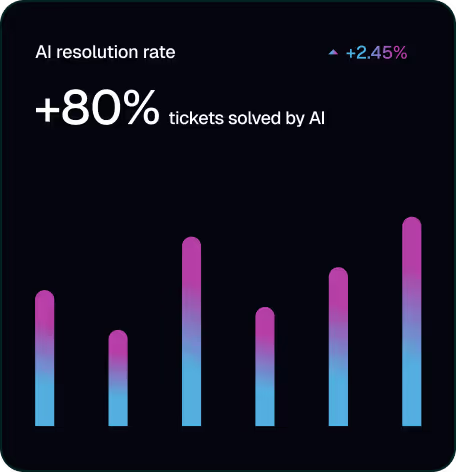
An operator handling KYC status and rejection tickets this way can expect them to follow the same path as the 80%+ of player tickets Tugi Tark resolves with AI overall, at 18x the speed of a human agent, since status checks and reason-specific guidance require no judgment call, and the cases that do require one reach a compliance specialist with the full history already attached. This is AI Support Infrastructure for iGaming applied to one of the highest-volume, most repetitive ticket categories a casino support queue handles. Tugi Tark is an AI-native customer service platform purpose-built for iGaming operators, and KYC status automation fits inside the wider set of support strategies that reduce churn, since a stalled verification is friction long before it becomes a churn event.
Operators can see the KYC automation workflow end to end, from status check to compliance hand-off.
Frequently Asked Questions
How long does it take to automate KYC status and rejection support for a casino?
A KYC status and rejection-reason automation layer connects to the operator’s existing KYC verification system rather than replacing it. JWT gives an initial connection in hours, and full deployment with workflow mapping takes 2 to 4 weeks, after which real-time API sync keeps status data current.
How much does automating KYC support requests cost for an iGaming operator?
Automating KYC status checks and rejection guidance costs ≈€0.15 per AI-handled ticket, against €1.02 to €2.41 for the same ticket handled manually by a human agent across nine European markets and the Philippines, part of the 64% cost reduction Tugi Tark’s 2026 iGaming support economics report documents at 70% AI resolution.
What's the difference between handling KYC tickets with AI versus manually?
Manually, an agent looks up the player's verification status and rejection reason in the KYC system by hand before responding, and the player often resubmits without knowing exactly what was wrong. With Tugi Tark's automation layer, that same status and reason are retrieved and delivered directly and instantly, with specific resubmission guidance, and only the cases that need a determination reach a compliance specialist.
Is it safe to automate access to KYC verification data in customer support?
Automating access means giving the AI agent read access to verification status and rejection metadata the operator's KYC system already generated, not giving it authority to approve or reject a document. Tugi Tark's AI agent surfaces that data and hands genuinely ambiguous or high-risk cases to a compliance specialist, who makes the actual determination, with GDPR-compliant transcript extraction keeping the resulting record auditable.