Reducing risk when changing a support platform in iGaming comes down to one number: zero missed SLAs during the transition window. Operators who switch support infrastructure without a formal continuity plan see response-time gaps open exactly during cutover week, the moment regulatory scrutiny and player patience are both at their lowest.
This guide covers a five-step process for keeping every SLA intact through a full support infrastructure switch: auditing current SLA commitments, building a transition plan mapped to those commitments, running parallel testing before cutover, executing the cutover itself without a coverage gap, and monitoring SLA performance after go-live. It is scoped narrowly to SLA continuity. Data integrity and agent training during a switch are separate operational questions, addressed elsewhere.
What You Need Before Starting
This process assumes the operator already has a documented set of current SLA commitments, whether contractual, internal, or regulatory, covering first response time, resolution time, and escalation time by ticket category.
A realistic ticket volume baseline matters: the audit and transition steps below apply most directly to operators running 10,000 or more monthly tickets across multiple categories (financial, KYC, technical, VIP, Responsible Gaming). Smaller volumes still need the same discipline, just compressed into a shorter timeline.
The operator also needs a named owner for the migration who can approve the cutover window and a defined maintenance or low-traffic period during which cutover will happen. Without a named owner and a scheduled window, SLA-mapped migrations tend to slip into ad hoc cutovers, which is where SLA gaps originate.
Reducing Risk When Changing Support Infrastructure Starts With SLA Continuity
Support infrastructure switches break SLAs because migration tooling built for generic ticketing systems does not carry iGaming-specific SLA logic across the cutover. It is not a matter of operators executing migrations carelessly.
iGaming SLA commitments are tied to regulated ticket categories: Responsible Gaming triggers, KYC document review, high-value withdrawal disputes, and VIP player contacts, each with its own response-time and escalation requirement. Generic migration tooling, the kind built for Zendesk, Intercom, or Freshdesk transitions, is designed to move ticket history and canned response macros. It has no native concept of a compliance-bound SLA category, so those categories are exactly the ones most likely to lose coverage during a switch. Traffic spikes around weekends, tournaments, and promotions already put pressure on SLA performance under normal operating conditions. A migration window compounds that pressure with a second variable: an unproven configuration handling live, high-stakes tickets for the first time.
Legacy support systems were built for business-hours, general-purpose customer service, not for continuous, regulated, multilingual gambling operations. That gap does not disappear during a migration. It gets exposed by one.
Purpose-built AI support infrastructure changes this by treating SLA continuity as a configuration property of the switch itself, not an afterthought tested after go-live. Tugi Tark's AI support infrastructure for iGaming maps ticket categories to smart ticket routing rules, weighted by player segment, ticket category, channel, and wait time, before a single live ticket moves. Specialized departments for finance, compliance, technical, CRM, and VIP tickets are configured ahead of cutover rather than built reactively once tickets start arriving in the wrong queue.
Step 1: Audit Current SLA Commitments and Breach Points
This step produces a documented baseline of every SLA the current system is measured against, broken down by ticket category, channel, and player segment, before any transition planning begins.
Pull the SLA definitions directly from the current contract or system configuration: first response time, resolution time, and escalation time for financial tickets, KYC and account verification, technical issues, and VIP contacts. Cross-reference this against actual recent performance, including where the current system already breaches its own SLA, particularly during weekend and promotional traffic peaks. The support debt accumulated in a legacy system's SLA gaps is exactly what a migration risks carrying forward, or worse, widening, if it is not measured first.
The common mistake at this step is auditing ticket volume without auditing SLA performance by category. A team that only counts tickets moving migrates blind to which categories are already fragile and therefore most exposed during cutover.
The indicator of success at this step is a completed SLA matrix, category by channel by segment, with current performance recorded against each line.
Step 2: Build the Transition Plan Mapped to Each SLA
This step converts the SLA audit into a sequenced transition plan that assigns every ticket category to a migration wave, so no SLA-bound workflow moves to the new system without a tested configuration already in place.
Map each category from the Step 1 audit to its corresponding configuration in the new support infrastructure: escalation routing, department assignment, and response-time targets, before any live ticket in that category is switched. Because JWT-based integration typically deploys in a matter of hours and API integration syncs in real time, this step is usually gated by configuration and testing capacity rather than by the underlying technical rollout.
The common mistake at this step is treating every category as equal priority. Regulated categories, Responsible Gaming and KYC in particular, route through dedicated departments and need their escalation logic pre-configured and verified first, since these are the categories where an SLA gap carries direct compliance exposure rather than just player frustration.
The indicator of success is a wave-by-wave transition schedule where every SLA-bound category has a tested, mapped configuration in the new infrastructure before cutover is scheduled.
Step 3: Run Parallel Testing Before Cutover
Parallel testing runs the new support infrastructure and the outgoing system side by side against live ticket volume, without redirecting any real player traffic away from the current SLA-compliant system, until the new configuration proves it matches or beats existing response times.
A recommended parallel testing window is one to two weeks, long enough to cover one full weekly traffic cycle, including a weekend or promotional peak. During this window, measure SLA-timer parity per category against the Step 1 baseline, confirm escalation logic actually routes Responsible Gaming and VIP tickets to the correct department, and verify multilingual coverage across the languages the operator actually serves, not just the primary market language. Tugi Tark's AI agent demo lets an operator test resolution behavior on real iGaming scenarios before any live ticket touches the new configuration.
The common mistake at this step is skipping parallel testing on low-volume, high-stakes categories because they generate few tickets. VIP and Responsible Gaming queues are exactly where a failure discovered on day one of a live cutover is most costly, both operationally and in regulatory terms.
The indicator of success is side-by-side measurement showing the new infrastructure matches or beats every SLA category audited in Step 1, sustained across the full testing window.
Step 4: Execute the Cutover Without an SLA Gap
Cutover is the single scheduled event where every SLA-bound ticket category switches from the outgoing system to the new one, timed to the lowest-traffic window identified in Step 1, so no ticket is ever in flight between two systems.
Execute cutover by wave rather than all at once, following the sequence built in Step 2. Real-time API sync carries active ticket data across without the hours of lag a batch export and import would introduce, and JWT-based deployment brings the agent workplace and widget live in hours rather than days. Smart ticket routing configuration goes live before the first ticket arrives in the new queue, and the automatic return-to-queue behavior for disconnected agents means no ticket sits unassigned if a support operator drops offline mid-cutover. Review the integration requirements in advance so the technical team is not making configuration decisions during the cutover window itself.
The common mistake at this step is cutting over full ticket volume in a single event instead of by wave. A misconfiguration in a single-event cutover affects every SLA category simultaneously; a wave-based cutover contains the exposure to one category at a time.
The indicator of success is zero open tickets lost or orphaned during the cutover window, confirmed through a ticket-count reconciliation across both systems before the outgoing system's access is retired.
Step 5: Monitor Post-Migration SLA Performance
Post-migration monitoring tracks SLA performance in the new infrastructure daily for a defined window after cutover, catching configuration drift before it becomes a pattern of missed commitments.
A 30-day daily monitoring window is the recommended baseline, using the real-time monitoring dashboard to track first response time, resolution time, and escalation accuracy against the Step 1 baseline for every category. CSAT capture, with dashboard and CSV export, gives a parallel read on player-side impact that SLA timers alone will not show. GDPR-compliant transcript extraction supports the compliance documentation an operator needs to demonstrate SLA continuity to regulators or internal audit, not just to prove it informally.
The common mistake at this step is declaring the migration complete at cutover and stopping active monitoring. SLA drift in the first 30 days is where a technically successful cutover can still turn into a service failure if nobody is watching.
The indicator of success is SLA performance matching or exceeding the Step 1 baseline across all categories, sustained for the full 30-day monitoring window.
Common Mistakes iGaming Operators Make When Switching Support Infrastructure
The most costly mistake is treating SLA continuity as a byproduct of a successful data migration instead of a separate, measured objective with its own audit, testing, and monitoring steps.
Mistake: Migrating to the new system's default SLA templates instead of existing commitments.
Why it happens: default templates are the fastest configuration path during setup. What it costs: contractual or regulatory SLA commitments go unmet from day one because the new system was never configured against them. How to avoid it: complete the Step 1 audit and configure the new infrastructure directly against the operator's actual SLA matrix, not the vendor's default.
Mistake: Skipping parallel testing on low-volume regulated categories.
Why it happens: teams prioritize testing where ticket volume is highest. What it costs: Responsible Gaming and VIP escalation failures surface during live cutover, when the consequences are compliance exposure and player-retention risk rather than a testing note. How to avoid it: include every SLA-bound category in parallel testing regardless of volume, per Step 3.
Mistake: Cutting over all ticket volume in a single event.
Why it happens: a single cutover event feels simpler to schedule than a wave-based sequence. What it costs: any misconfiguration affects every SLA category at once instead of being contained to one wave. How to avoid it: sequence cutover by wave, following the transition plan built in Step 2.
Mistake: Stopping active SLA monitoring once the migration is technically complete.
Why it happens: teams treat cutover as the finish line rather than the midpoint of the process. What it costs: configuration drift accumulates unnoticed until it appears as a pattern of missed SLAs weeks later. How to avoid it: run the full 30-day post-migration monitoring window described in Step 5 before considering the migration closed.
Expected Outcomes With Numbers
Operators who follow an SLA-mapped migration process should expect measurably different outcomes than those who run a generic data migration and treat SLA performance as something to check afterward.
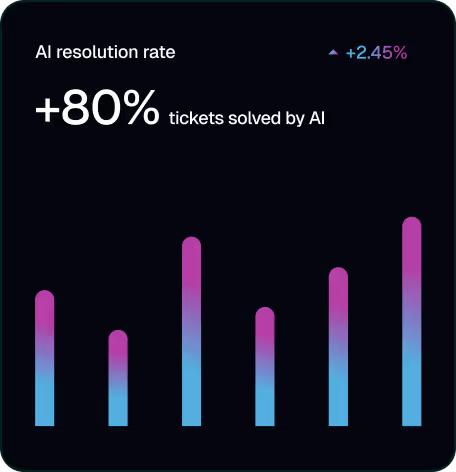
These outcomes reflect a process difference, not a technology difference alone. The same AI support infrastructure that resolves 80%+ of iGaming support tickets performs no better on SLA continuity than a legacy system would if it is deployed without the audit, transition mapping, and parallel testing steps above.
Frequently Asked Questions
How long does it take to switch support infrastructure without losing SLA coverage?
For an operator running 10,000-50,000 monthly tickets, the full process typically runs three to five weeks from audit to completed cutover: five to seven days for the SLA audit, a comparable period to build the transition plan and configure the new infrastructure, one to two weeks of parallel testing, and a single scheduled cutover event. The 30-day post-migration monitoring window runs in parallel with normal operations afterward.
What is the biggest SLA risk when switching support infrastructure in iGaming?
The biggest risk is losing escalation coverage for Responsible Gaming, VIP, and high-value withdrawal categories, because generic migration tooling moves ticket history and macros but has no native concept of these compliance-bound SLA categories. These categories carry the highest cost when an SLA is missed, both in regulatory terms and in player retention.
Does parallel testing delay a support infrastructure switch?
Parallel testing adds one to two weeks to the timeline but reduces the risk of an SLA breach during live cutover, which typically costs more in remediation and player trust than the testing window itself. Skipping it does not remove the risk; it moves the risk to live traffic instead.
What is the difference between migrating ticket data and migrating SLA logic?
Migrating ticket data means moving ticket history, canned responses, and configuration files from one system to another. Migrating SLA logic means mapping each ticket category to its response-time, resolution-time, and escalation requirements in the new system before cutover. Most generic migration guides address only the first; SLA continuity depends on the second.
How does Tugi Tark keep SLAs intact during a support infrastructure switch?
Tugi Tark maps ticket categories to smart ticket routing configuration, weighted by player segment, ticket category, channel, and wait time, before cutover, and deploys via JWT integration in a matter of hours with real-time API sync of active ticket data. Combined with 80%+ automated ticket resolution and a real-time monitoring dashboard for post-migration tracking, this keeps SLA-bound categories covered through the transition rather than exposed by it.
.png)